Scripts by stage
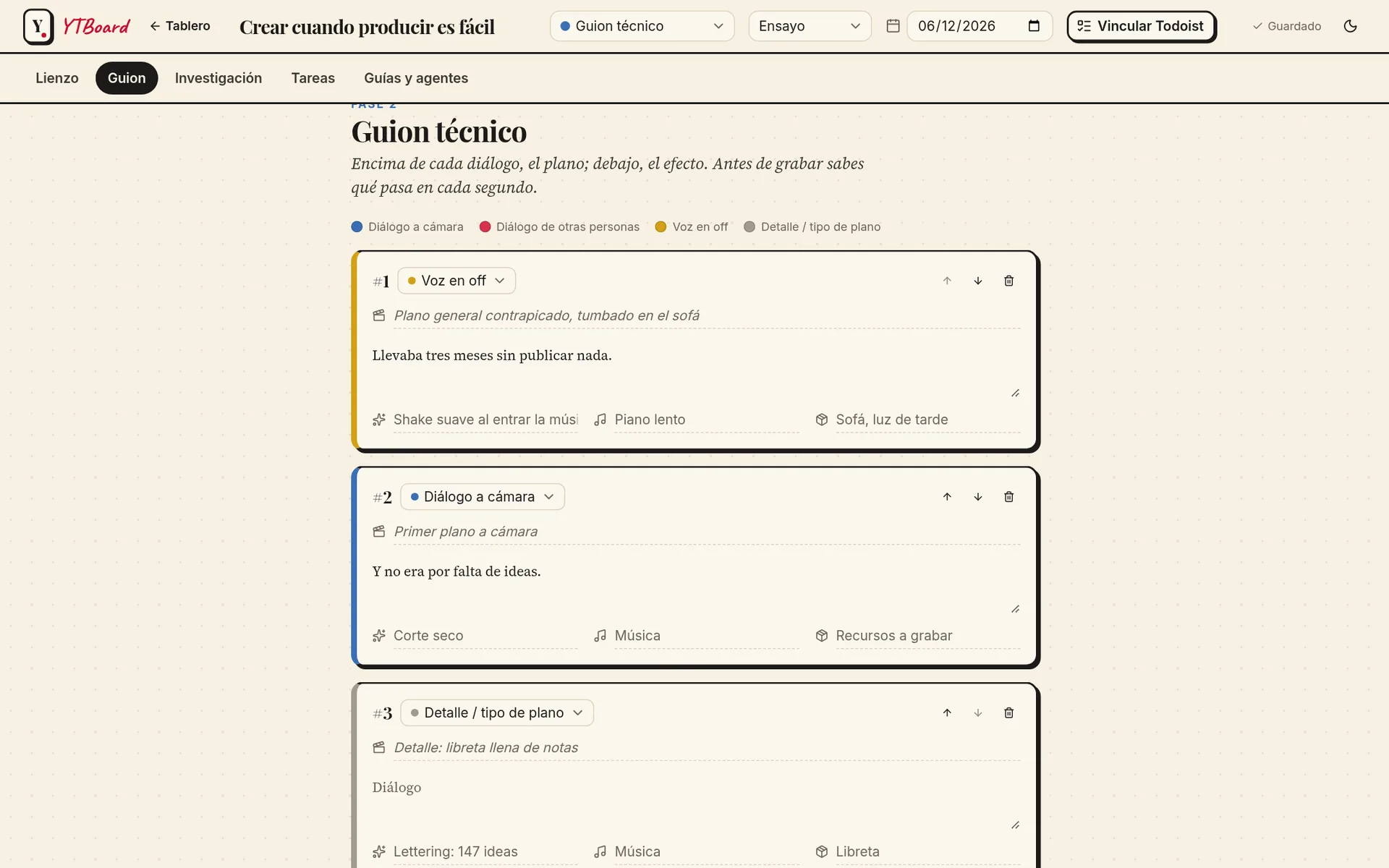
The script is written by stage and colour-coded: dialogue to camera, other people's dialogue, voice-over and detail or type of shot. You know what happens at every moment before you shoot.
Desktop app · source available
Your YouTube videos, from idea to upload.
YTBoard brings together on one board what it takes to get a video out: the stages it goes through, the whiteboard where you think it up, the script, the calendar that sets the pace and the metrics that tell you how you are doing. With the look of this site: cream paper, ink and red.
macOS · Windows · Linux — free for non-commercial use
How it works
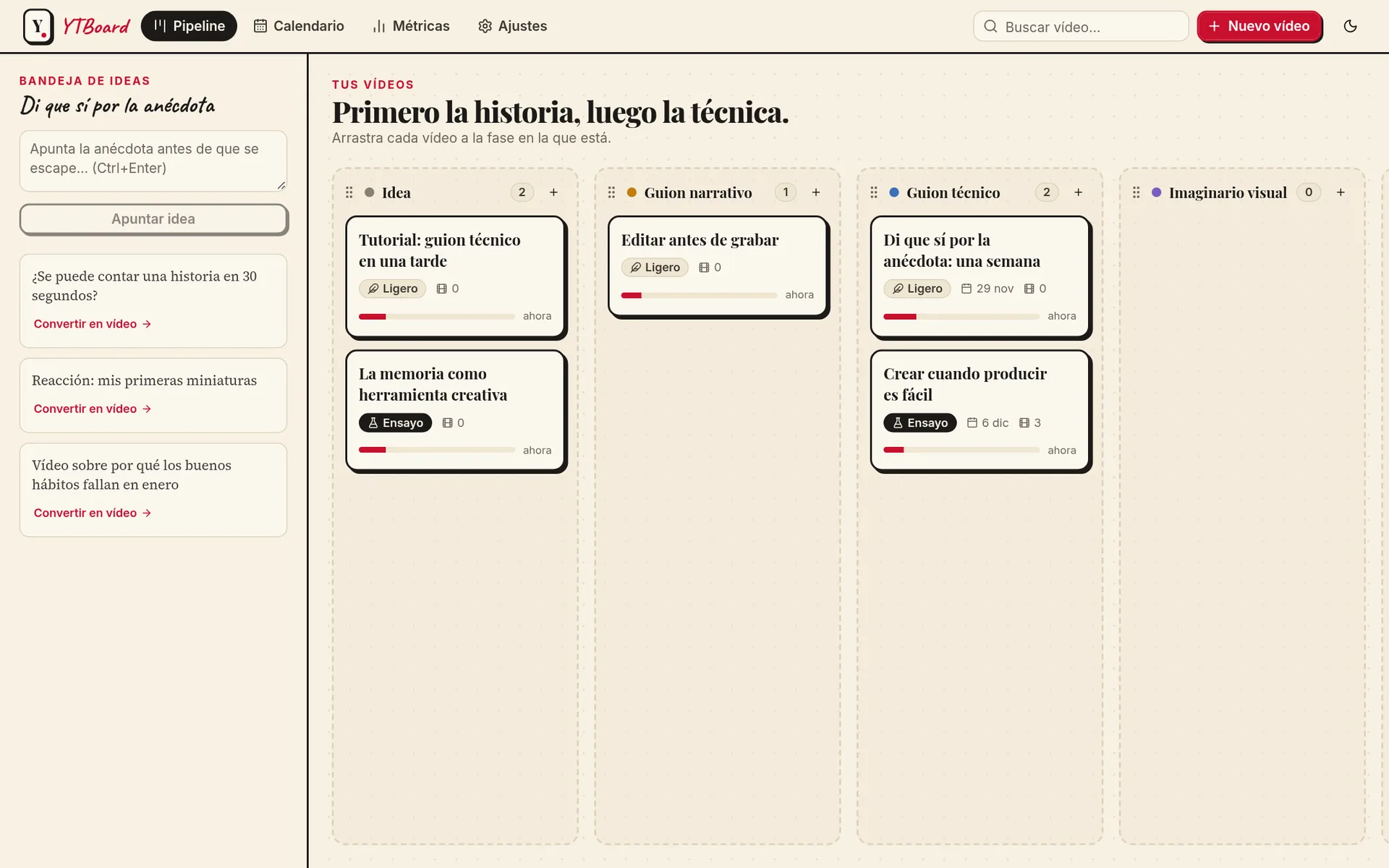
Every video moves through a kanban pipeline of editable, guided stages: each stage has its principle, its questions and its checklist. By default it follows Christian Belmont's 4-script method.
Story first, technique later. You write the story as it comes to you, without thinking yet about how it will be edited.
Editing is decided before shooting: which shot goes over each line of dialogue and which effect, music or resource goes under it.
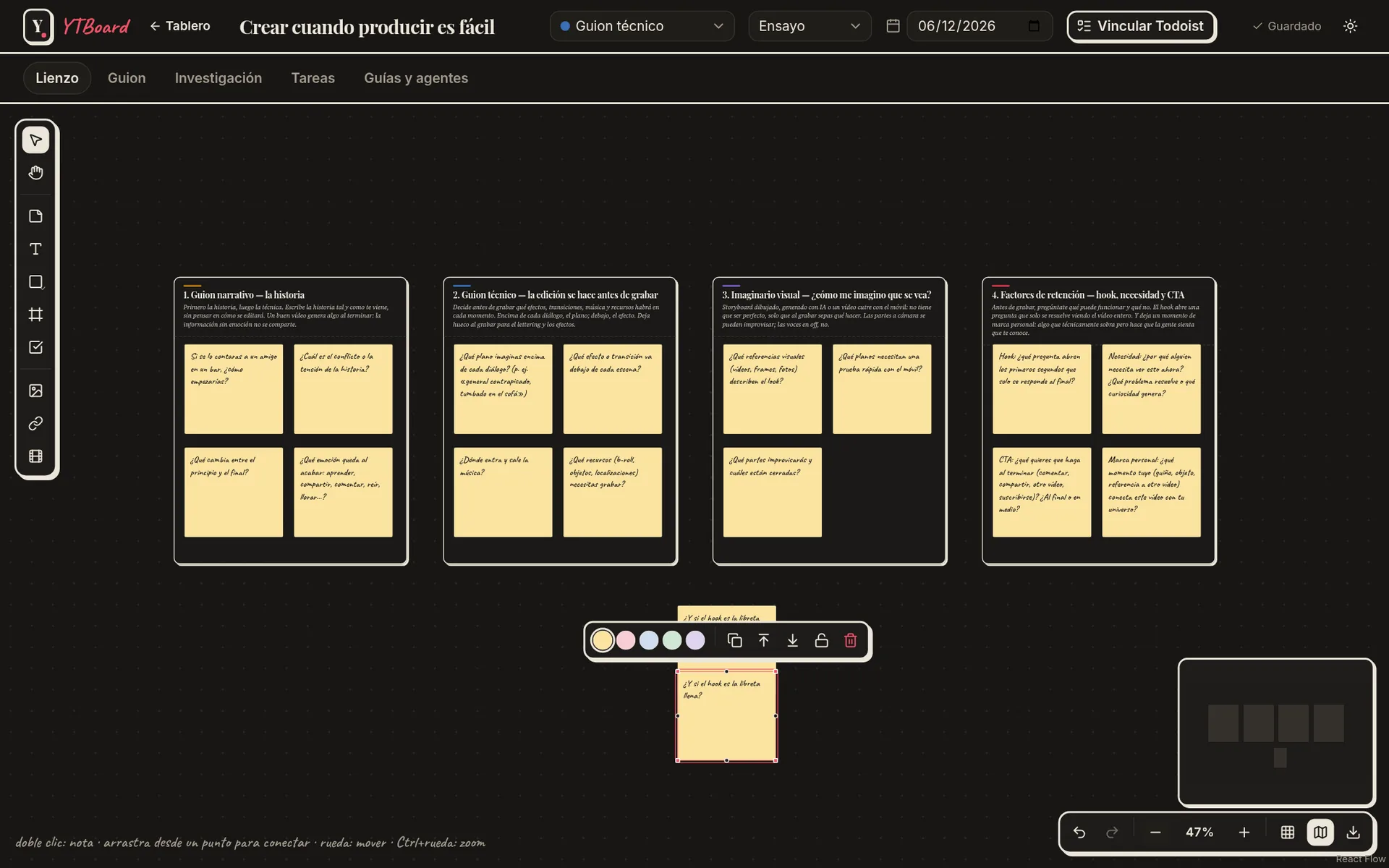
How you picture it will look: references, shots and a storyboard on the whiteboard, so you know what to do when you shoot.
The hook, the need and the call to action: what makes someone stay until the end.
Stages can be renamed, reordered and extended. If your process is different, the board adapts to it.
Infinite whiteboard
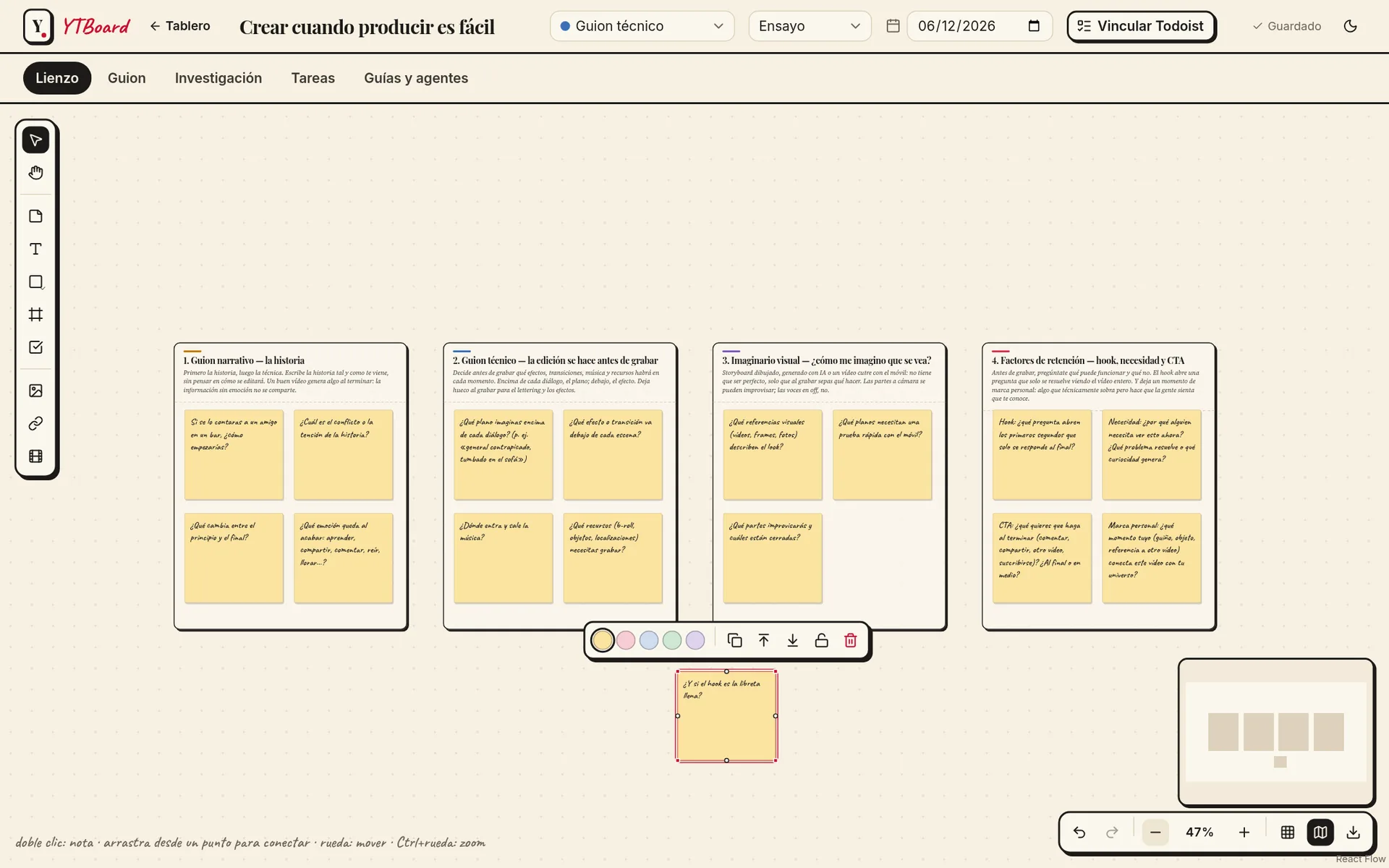
Notes, shapes, frames that hold whatever you drop inside them, connectors, images and YouTube references. Undo what you do not like and export the board to PNG.
What it brings
The script is written by stage and colour-coded: dialogue to camera, other people's dialogue, voice-over and detail or type of shot. You know what happens at every moment before you shoot.
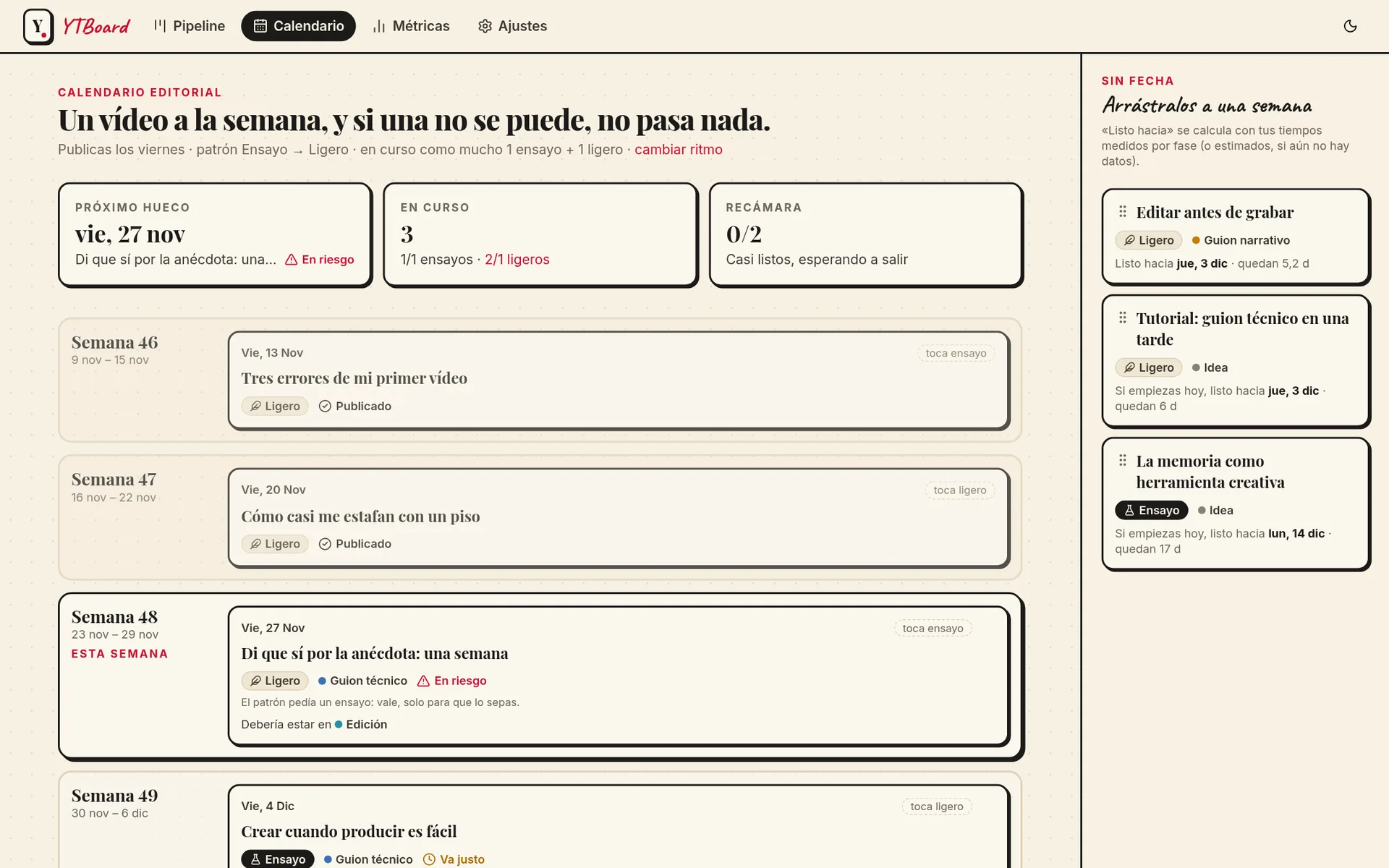
Set your publishing pace, for example one video a week, and whether each video is an essay (with research) or a light one. The calendar plans backwards and warns you about the ones at risk of not making it.
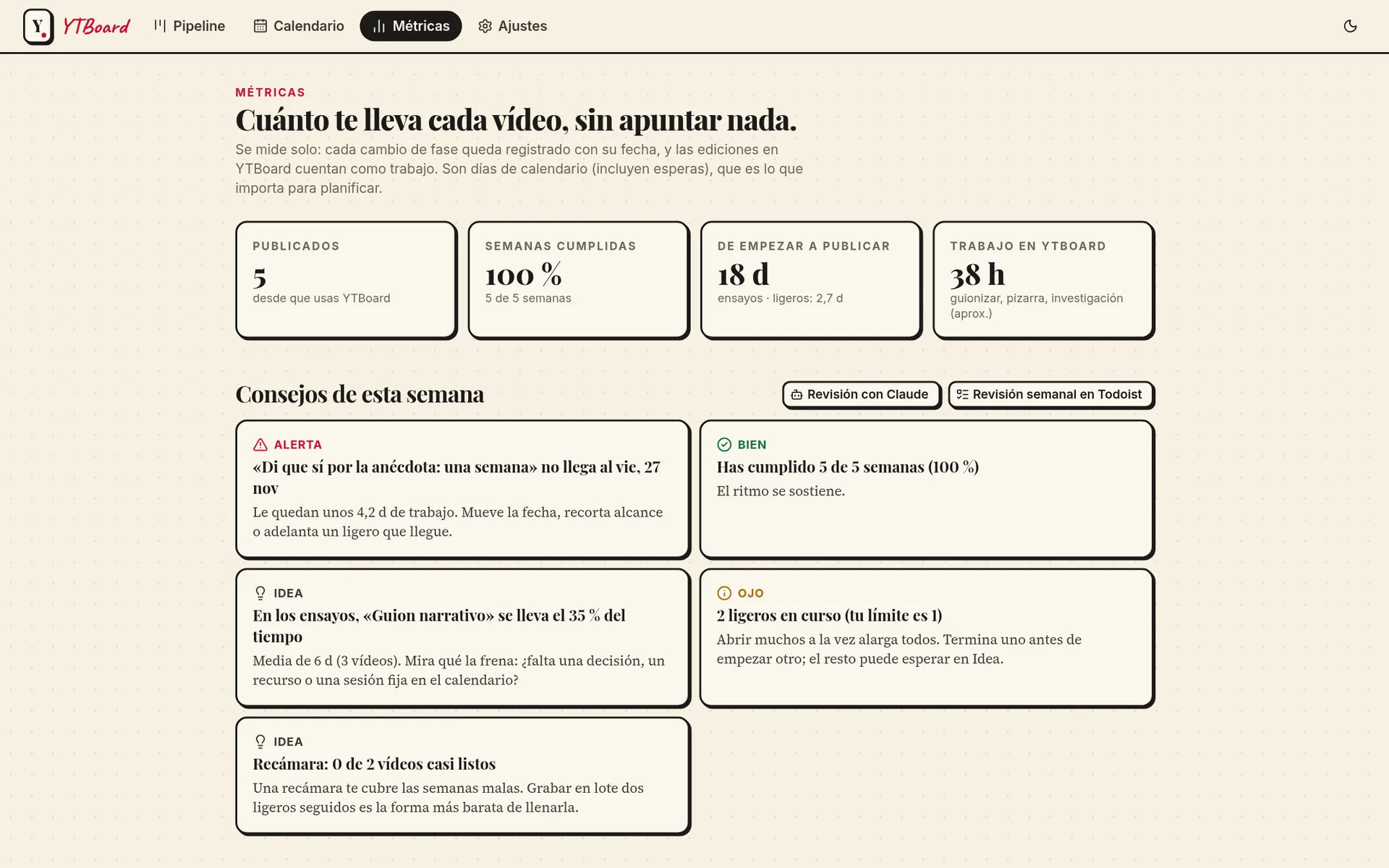
Without logging anything: how long each video spends at each stage and how many weeks you hit, with tips for the week ahead.
Connections
All optional: YTBoard works on its own, and each connection comes in when you need it.
Every video has its card in Todoist, which moves to another section when the video changes stage. Tasks can be seen and created from YTBoard, and the checklist syncs both ways.
Search your Obsidian notes, link the useful ones to each video and bring them onto the whiteboard. Read-only: YTBoard never writes to your vault.
An MCP server to connect agents such as Claude: a guide agent for each stage and a weekly review of how you are doing.
Privacy
Videos, whiteboards, scripts and metrics live on your computer. You do not need a YTBoard account.
The Obsidian connection is read-only: it reads your notes but never changes them.
Free for non-commercial use, and the code is out in the open on GitHub.
Install
YTBoard is a desktop app for macOS (Apple Silicon), Windows and Linux.
If you would rather build it yourself, on Linux the repository builds it as an AppImage:
git clone https://github.com/alanahuel/ytboard.git
cd ytboard
pnpm install
pnpm desktop:dist
All the details are in the README.
The default method is Christian Belmont's 4 scripts; YTBoard turns it into stages with their questions and checklist.
Source available, non-commercial use: it is distributed under the PolyForm Noncommercial 1.0.0 licence. You may use, study and modify it for non-commercial purposes, always with the attribution “Copyright Alan Nahuel”.